
Release Title: Chargent version 8.20
Release Installation URL: Chargent Installation & Updates
Release Date: February 10, 2026
This version is no longer available to download via the Package Installation Manager (PIM). Customers may only install or update to the latest version of Chargent, which includes features, enhancements, and fixes from all previous versions. For more information about updating Chargent, see Chargent Installation & Updates.
For information about our latest release, please refer to Release Notes.
Release Overview #
Chargent v8.20 brings the highly anticipated PalPal Wallet functionality to Chargent! With PayPal Wallet, you can accept PayPal and Bank Account payments, and offer Buy Now, Pay Later options in Salesforce, giving your customers an expanded suite of payment options. We’ve also updated our URLs to comply with Salesforce’s My Domain URL Format requirements and resolved several bugs.
If you have any questions, please contact our support team. We are always happy to help!
Not sure what version of Chargent you’re on? Click here to find out.
Release Details #
Introducing the PayPal Wallet in Chargent
We’re excited to introduce PayPal Wallet functionality to Chargent! Using our PayPal Gateway Integration, your customers can make payments with their PayPal accounts, unlocking options such as Buy Now, Pay Later. Available for Payment Request and Experience Cloud payments, seamlessly expand your payment options beyond credit cards, reducing credit card abandonment, and increasing conversion rates by allowing your customers to pay the way they want.
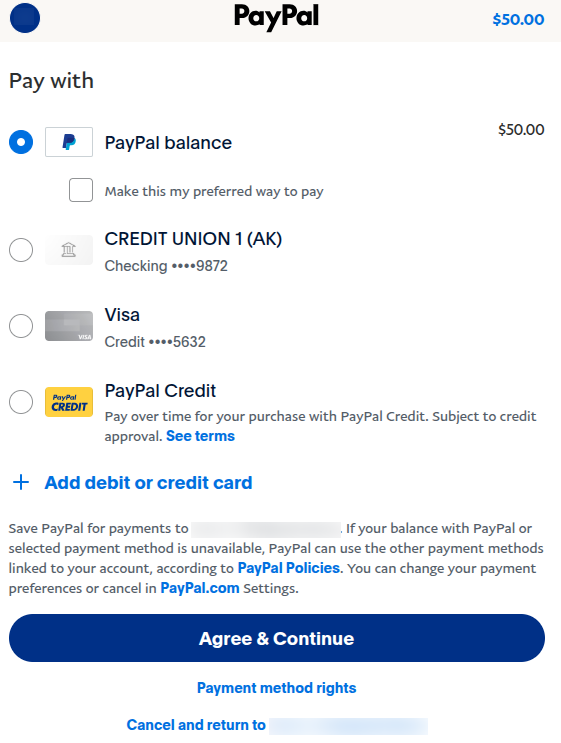
With the Digital Wallet, your customers can make payments using any PayPal-supported payment method, including:
- PayPal Balance
- Credit Card
- Bank Account/Checking
- PayPal Credit (Buy Now, Pay Later)
How Does it Work?
Using a PayPal Business Account, Chargent customers can create an integration with PayPal and Salesforce. This gateway integration includes an additional payment method, Digital Wallet, that allows customers to log in to their PayPal account, select a saved payment method, and submit their payment. Just like other payments with Chargent, PayPal Wallet payments can be tokenized and reused in Salesforce as a saved Payment Method.
Learn More
- Check out our blog post, Chargent’s New PayPal Integration for Salesforce.
- Visit our PayPal Wallet documentation to get up and running today!
- Contact us by visiting Connect PayPal and Salesforce with Chargent.
Strong Customer Authentication (SCA) for PayPal in Chargent
We’ve added Strong Customer Authentication (SCA) support to our PayPal integration. SCA is a two-factor authentication (2FA) requirement wherein, during a consumer-initiated transaction (CIT), the cardholder must provide two of the three elements: Something the cardholder knows, something the cardholder owns, or something the cardholder is.
Our PayPal integration is set to trigger a 2FA challenge for your customer only when required by regulations like the second Payment Services Directive (PSD2) in the European Economic Area (EEA).
Learn more by visiting Strong Customer Authentication (SCA).
Salesforce Requirement – My Domain URL Format Changes
We’ve updated our URLs to comply with Salesforce’s updated My Domain URL Format requirements. Salesforce retired redirection for legacy URLs in Spring ’26 across all orgs in accordance with My Domain URL Format Changes with Enhanced Domains Deployment. As such, customers on Chargent versions before 8.20 may encounter an OAuth Error when attempting to access the Chargent Settings, stating “OAUTH_APPROVAL_ERROR_GENERIC : An unexpected error has occurred during authentication. Please try again.” or “URL No Longer Exists”.
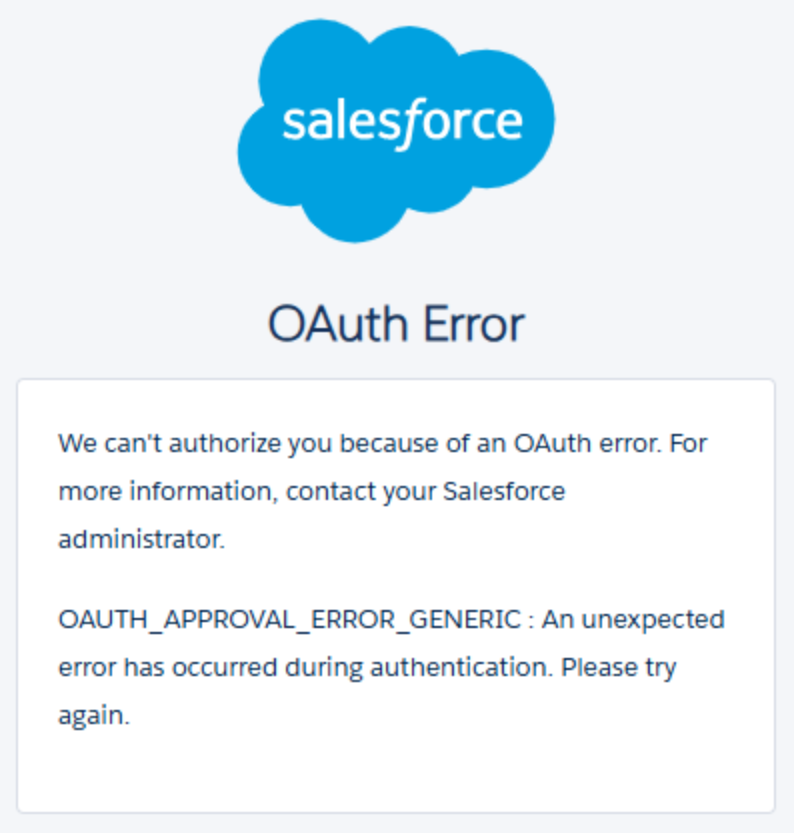
This error can be resolved by updating Chargent to version 8.20 or higher via the Package Installation Manager (PIM).
Once Chargent has been successfully updated, you will be able to visit Chargent Settings and complete the OAuth authentication without issue.
Please reach out to our support team if you have any questions or encounter any additional issues.
Bug Fixes #
CVV Requirement Enforced Regardless of Gateway Settings
Resolved an issue where, when using an Apex Class to tokenize a payment, the CVV requirement is disabled from the Gateway record, and in the gateway account, an error is received.
Error received due to the length of the Custom Setting Name
Resolved an issue where, when selecting the picklist value, United Kingdom of Great Britain and Northern Ireland, the following error occurred: “FATAL_ERROR|System.InvalidParameterValueException: Custom Setting Name too long: United Kingdom of Great Britain and Northern Ireland”.
AccountId Parameter API Error
Resolved an issue where, when using the REST API to perform a Payment Method Tokenization operation, an error is thrown when using the accountId parameter without an email address.
“Update Charge Amount” Flow is Rounding the Charge Amount to the Nearest Dollar
Resolved an issue where the new “Update Charge Amount” flow automatically rounded the Charge Amount to the nearest dollar. See Converting Chargent’s Workflow Rules to Flow for more information about the affected Flow.
The Take Payment Completion Event does not fire for Existing Payment Methods
Resolved an issue where, when attempting to use the Take Payment – Payment Completion Event feature to trigger downstream automation, such as a Flow or record update, the event would fail to be triggered.