
Release Title: Chargent version 7.98
Release Date: September 30, 2025
This version is no longer available to download via the Package Installation Manager (PIM). Customers may only install or update to the latest version of Chargent, which includes features, enhancements, and fixes from all previous versions. For more information about updating Chargent, see Chargent Installation & Updates.
For information about our latest release, please refer to Release Notes.
Release Overview #
Chargent v7.98 resolves an issue introduced in the Winter ’26 Salesforce Release related to Cybersource certificate management. Please be aware that a known issue is present in this version. See the details below for more information.
If you have any questions, please contact our support team. We are always happy to help!
Not sure what version of Chargent you’re on? Click here to find out.
Release Details #
Winter ‘26 Cybersource Certificate Management Update
A new Salesforce validation rule was introduced in the Winter ’26 release, affecting Chargent’s solution for the new Cybersource Certificate Requirement. Due to this validation requirement, the Cybersource certificate will fail Salesforce’s validation check on Chargent versions before v7.98. In this version, we’ve reworked the Cybersource credential process to adhere to Salesforce’s updated validation requirements.
Action Required
All Cybersource customers must update Chargent to version 7.98 and complete the revised credential requirements outlined in the Cybersource Gateway Guide to avoid any interruptions.
Additionally, to minimize the effort required for this process, we’ve developed a video tutorial below with instructions.
Known Issue #
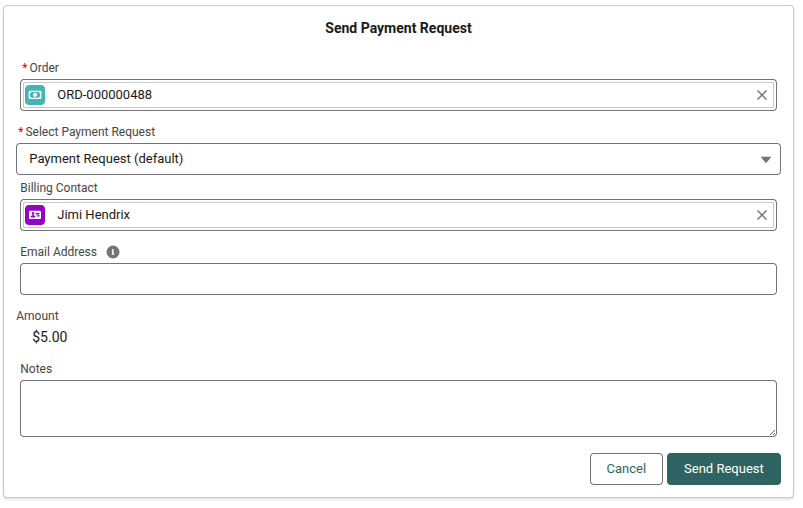
Intermittent Issue Sending a Payment Request via Chargent Anywhere
Intermittently, an error will occur when attempting to send a Payment Request using Chargent Anywhere. This issue only affects merchants who have enabled Payment Methods. One of two behaviors will occur:
- The page loads indefinitely.
- An error is displayed (see below).
Error Message
Uncaught Action failed: ChargentAnyObj:Chargent_Anywhere$controller$hideModal [Cannot read properties of undefined (reading ‘setParams’)] Callback failed: apex://ChargentAnyObj.Chargent_Payment_Central_Controller/ACTION$sendPaymentRequest
Workaround
Despite the error, the Payment Request is created as expected. The user can simply close the form and refresh their browser if it does not load. Additionally, users can send a Payment Request via one of the alternative methods noted below:
Alternative Method #1: Send a Payment Request from the Payment Request tab.
- In Salesforce, click the AppLauncher.
- Search for and select the Payment Requests tab.
- Click New to send a Payment Request.
Alternative Method #2: Send a Payment Request from the Payment Requests Related List on a Chargent Order record.
- In Salesforce, visit an existing Chargent Order record or create a new one.
- Scroll down to the Payment Requests Related List.
- Click New to send a Payment Request.
We are actively working to resolve this issue and apologize for any inconvenience this may cause. We recommend informing your Chargent users of the behavior and alternative methods to avoid any confusion.