A 2026 Guide for Businesses and Nonprofits
Collecting payments shouldn’t be complicated, but there are a number of different options to consider. If your organization already uses Salesforce as its CRM and system of record, embedding payments can make it easier to capture revenue and improve your billing processes.
Whether you’re processing one-time credit-card payments, setting up recurring billing, handling ACH/direct debit, or managing complex multi-gateway setups, having your payments built into Salesforce can transform your operations.
A Salesforce-native or Salesforce-integrated payment solution gives you a unified place where customer activity, invoices, subscriptions, and payment history all live together. This improves cash flow, reduces manual work, and unlocks full automation across sales, support, and finance.
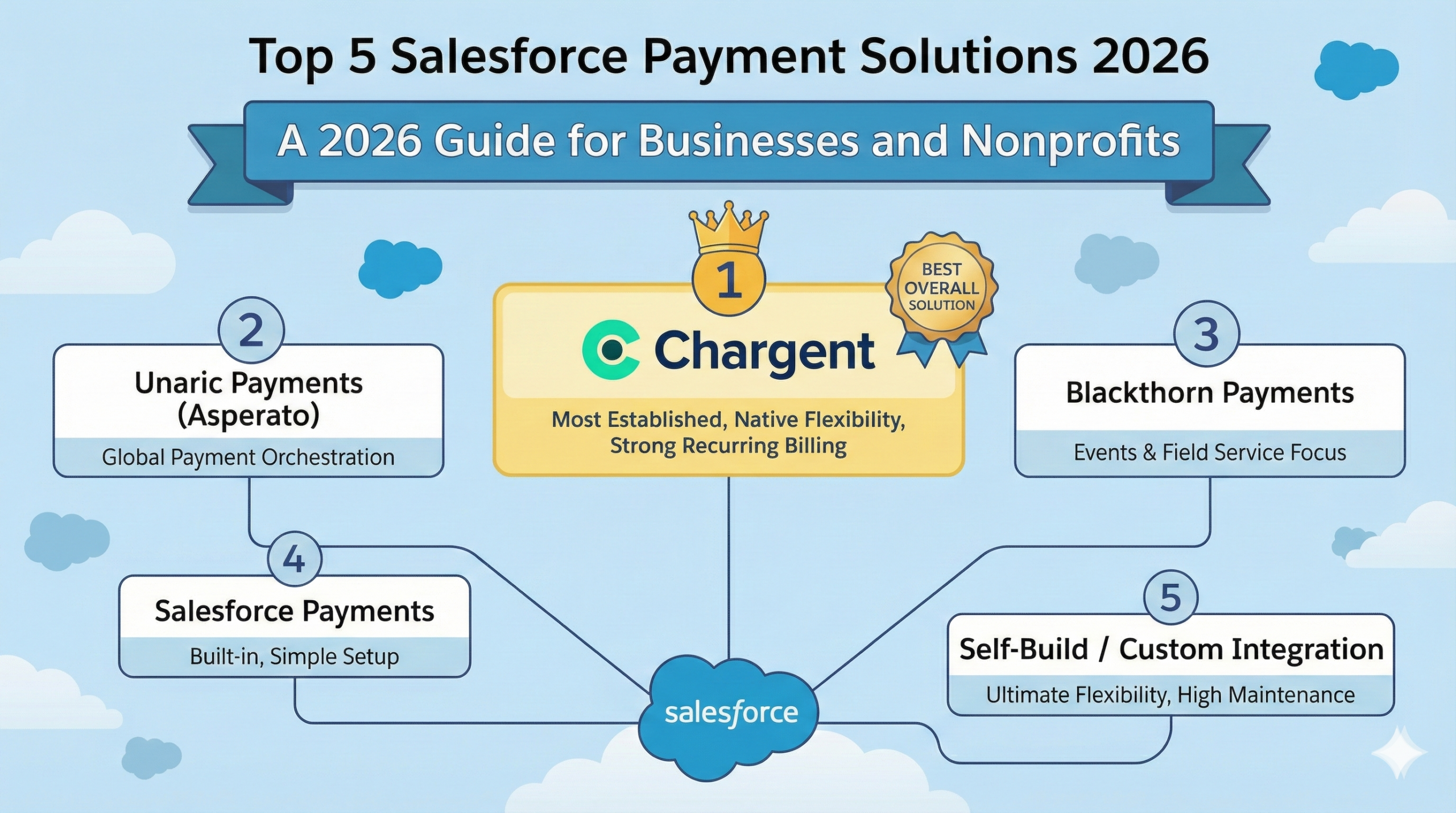
In this guide, we break down the Top 5 Salesforce Payment Solutions — from established leaders like Chargent and Asperato to Salesforce’s own payments product and even the “self-build” approach.
Top 5 Salesforce Payments Apps for 2026
Finding the right Salesforce payments integration can be a game-changer for your business. Here’s a look at the top platforms in 2026 that are helping companies capture payments, manage recurring subscriptions, and provide their customers with more convenient and modern ways to pay.
1. Chargent
Company: AppFrontier LLC, dba Chargent
Founded: 2012 (app launched 2008)
Headquarters: San Francisco, CA, USA
Website: appfrontier.com
Chargent by AppFrontier is the most established and widely adopted Salesforce-native payment app, having first been released on the Salesforce AppExchange all the way back in 2008. Built specifically for organizations that want to charge customers directly from within their CRM, Chargent supports credit cards, ACH, recurring billing, and payment automation without requiring additional platforms or middleware.
Where Chargent shines is flexibility: it is easily enabled on Salesforce objects such as Accounts, Contacts, Opportunities, Cases, or custom objects. This makes it extremely easy for sales, support, and billing teams to accept payments during phone calls, renewal discussions, or by emailing payment links to customers — all without leaving Salesforce.
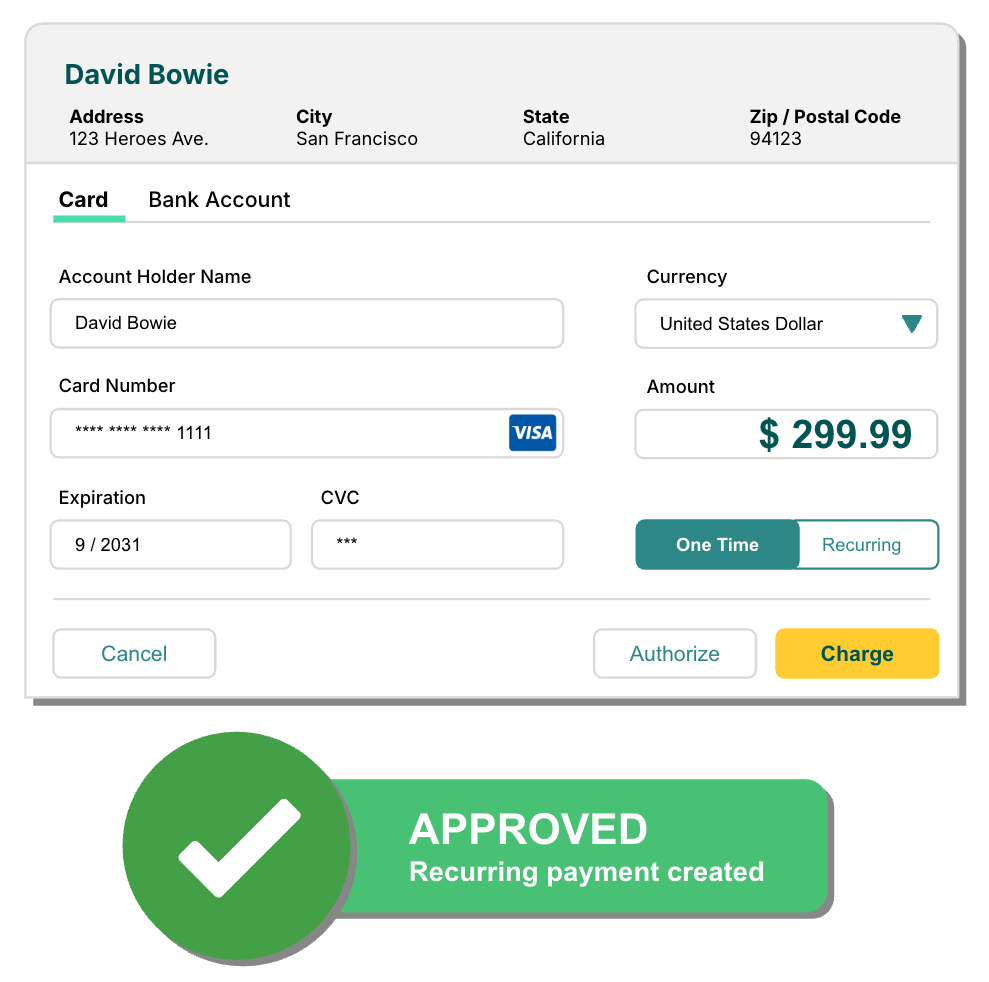
Chargent also provides payment connectors for Salesforce’s Revenue Cloud, Billing, and Order Management tools. Their Take Payment component enables self-service payments inside of Salesforce’s Agentforce Service Portal product (formerly known as Experience Cloud) without the need for development work, and offers its own API as well for developers to fully customize payment flows.
Beyond simple payment capture, Chargent also supports recurring payments, automated retries for failed transactions, scheduled billing, and built-in features for automated collections and workflows to capture missed payments. For membership organizations, subscription companies, and service-based businesses that require predictable billing inside Salesforce, Chargent is often the most flexible and cost-effective choice.
Chargent Payments Key Features
- Chargent Anywhere – process payments from any Salesforce object with a Lightning Component (Payment Request, Payment Console, Add Cash, Add Check)
- Payment Request & Payment Console – send secure payment requests via email for self-service collection, or use the Console for secure phone payments
- Experience Cloud & API – drag and drop self-service portal payments, or use the Chargent API to build your own solutions that run payments through Salesforce
- Recurring Billing & Automated Collections – automate subscription and scheduled recurring payments inside Salesforce, with auto retry of failed payments and recovery emails
- Card Surcharging – recoup your credit card processing fees with a turnkey integration that calculates fees and ensures compliance with 60+ regulatory requirements
2. Unaric Payments (Asperato)
Company: Payonomy Limited T/A Asperato
Founded: 2010 (acquired 2024)
Headquarters: Kent, England
Website: asperato.com
Unaric Payments (formerly known as Asperato before its acquisition) delivers a streamlined, “payment orchestration for Salesforce” approach. As a UK company, it is traditionally the strongest option for European customers, but it can be ideal for companies that operate globally and use various payment providers.
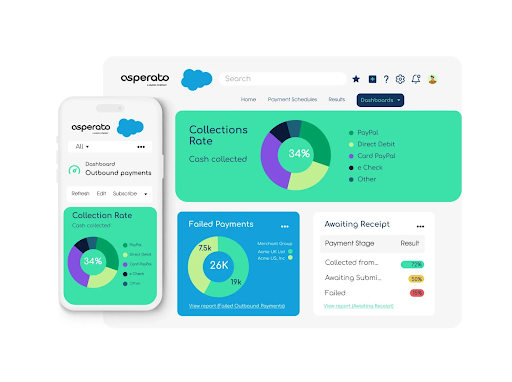
Unaric’s biggest strength is its ability to unify and manage multiple payment providers through a single Salesforce interface. Rather than integrating directly with Stripe, GoCardless, WorldPay, Adyen, or Braintree individually, companies can run all those connections through Unaric’s orchestration layer. This provides flexibility, redundancy, and the ability to route transactions based on geography, cost, or provider performance.
Unaric supports one-off payments, recurring billing, direct debit, hosted payment pages, payment links, and automated workflows.
Unaric Payments Key Features
- Connect Multiple Payment Systems – integrate with 20+ payment service providers without code
- Accept Multiple Payment Methods – support cards, bank transfers, direct debit, and more
- Auto-Collect Recurring Payments – tokenize and automate recurring billing
- Embed PayPages & Branded PayPages – integrate customizable checkout pages into your UX
- Email Payment Links – send payment links embedded in Salesforce email templates
3. Blackthorn Payments
Company: Blackthorn.io, Inc.
Founded: 2015
Headquarters: New York, NY, USA
Website: blackthorn.io
Blackthorn provides Event registration and management software, right in Salesforce. While its Payments module is sold as an add-on, it can also be purchased separately to provide payment processing inside Salesforce. For most customers, however, combining the event management and payment solutions is where Blackthorn shines.
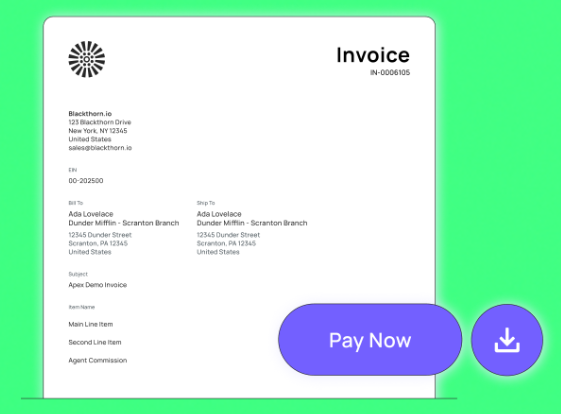
Blackthorn has a direct integration with Stripe, and supports 120+ payment gateways globally through its partner Spreedly (per transaction fees apply). It handles one-time transactions, recurring billing, and subscriptions.
For Salesforce Field Service users, Blackthorn is one of the few apps that can take card-present payments directly on mobile devices and integrated card readers. If your organization is seeking both event registration along with scalable payment infrastructure inside Salesforce, Blackthorn is one of the most powerful options on the market.
Blackthorn Payments Key Features
- Multi-Gateway Support & Setup Wizard – connect 120+ gateways quickly inside Salesforce
- PayLink Payment Requests – send customizable web-based payment requests to customers
- DocumentLink Invoicing – email branded invoice links customers can pay online
- Virtual Terminal & Mobile Payments – accept card payments via phone or mobile devices
- Payment Schedules & Recurring Billing – set up and automate recurring captures
4. Salesforce Payments
Company: Salesforce, Inc.
Founded: 1999 (payments app 2023)
Headquarters: San Francisco, CA, USA
Website: salesforce.com
Salesforce Payments is Salesforce’s own built-in payment processing service. It was recently launched to give businesses a simple, low-friction, low-maintenance way to accept payments within Salesforce without third-party apps.
Because it’s built by Salesforce, the setup is straightforward. Payments flow directly into standard Salesforce objects, which means reporting, automation, and customer records naturally expand to include payment history.
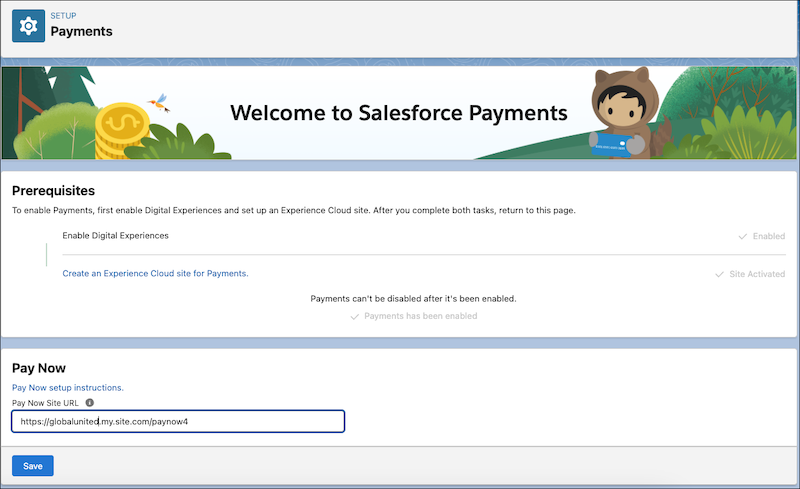
Salesforce Payments focuses on streamlined checkout experiences, secure card handling, and native account management within the platform. It’s designed primarily for straightforward use cases rather than advanced or complex billing logic. While not as feature-rich as the third-party payment apps, it offers simplicity and platform familiarity.
For businesses that want a minimal-maintenance, Salesforce-managed approach — especially smaller teams or organizations that only need basic payment flows — Salesforce Payments is an attractive choice.
Salesforce Payments Key Features
- Built-In Payment Capture – process payments directly within standard Salesforce objects (no third party required)
- Secure Card Tokenization – native support for tokenizing and vaulting payment methods
- Unified Reporting & Dashboards – leverage Salesforce’s standard reporting on payment data
- Native Object Integration – accounts, opportunities, and invoices include payment status and transaction data
- Fast, Minimal Setup – simple configuration with low maintenance for basic payment flows
(This product is part of Salesforce’s native offering and does not currently publish a standalone feature table online; core capabilities are based on Salesforce documentation.)
5. “Self-Build” / Custom Salesforce Payment Integration
Some organizations choose not to rely on a packaged app and instead build their own custom payment architecture inside Salesforce. This approach is sometimes preferred for companies with unique billing logic or special security requirements.
A custom build usually involves integrating directly with APIs from Stripe, Authorize.net, Braintree, Adyen, or other payment providers. The benefit is ultimate flexibility: you can design exactly the payment flow you want, control tokenization security processes directly, and integrate your own business logic without compromise.
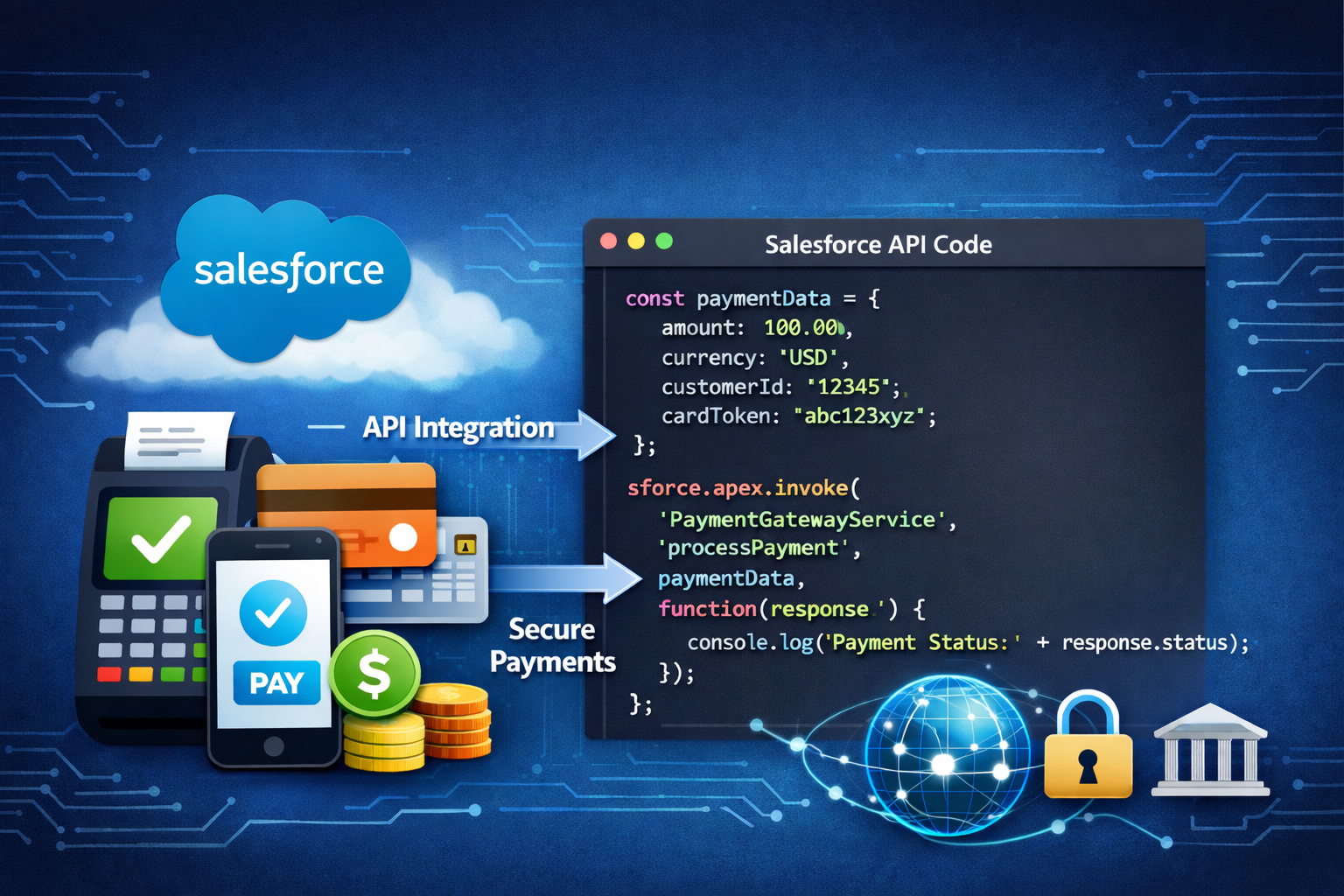
The major downside to self-building is the development timeline, which generally takes longer than implementing existing software, and finding technical resources who have expertise in both Salesforce and payments.
Custom integrations also come with ongoing maintenance responsibilities, compliance considerations (including PCI), and increased security risks. For organizations with a dedicated technical team — or those who have complex requirements not met by customizing off-the-shelf solutions — a custom integration can be a powerful long-term solution.
Just be sure you are budgeting not only for the initial implementation, but also for updates and maintenance, as payment integrations and compliance requirements will change over time.
Self-Build Key Features
(Typical feature set when building a custom Salesforce payment integration)
- API-Level Processor Connections – direct integration to Stripe, Adyen, Braintree, or other APIs
- Custom Checkout UI – fully tailored payment forms, flows, and embedded Experiences
- Advanced Tokenization & Security – implement your own PCI token services and compliance controls
- Custom Billing Logic – support unique billing models (usage-based, tiered, complex renewals)
- Custom Automation & Reconciliation – build bespoke retry logic, workflows, and financial reconciliation logic
How to Choose the Right Salesforce Payment Solution
As you evaluate your options, consider the following questions:
- Do you use a particular payment gateway / payment processor that you want to connect to Salesforce, or are you flexible on where your payments are sent?
- Do you need to support multiple global gateways?
- Are your payments mostly simple one-time transactions, or do you require complex recurring billing?
- Will your teams need to accept payments in the field, during calls, or via self-service?
- Do you value speed of implementation or long-term customizability?
- How critical is compliance, tokenization, and internal security control?
- Do you have a team that can implement and maintain your Salesforce payments, or will you need ongoing support from a software vendor?
Why do businesses need payments in Salesforce?
Salesforce is already the system of record for customer data, sales activity, support interactions, and revenue forecasting. Yet for many businesses, the most critical part of the customer lifecycle — getting paid — still happens outside the platform in disconnected tools.
Taking payments in Salesforce closes that gap.
By embedding payment capabilities directly into Salesforce, businesses eliminate silos, reduce operational friction, and create a more complete, real-time view of revenue. Instead of juggling CRMs, invoicing tools, payment gateways, spreadsheets, and accounting systems, teams can manage the entire revenue lifecycle in one place.
1. Faster Cash Flow and Shorter Payment Cycles
When payments live outside Salesforce, collecting revenue often involves handoffs: sales closes the deal, finance sends an invoice, customers receive a separate payment link, and accounting manually reconciles the transaction later.
Payments for Salesforce remove these delays.
Sales reps, account managers, or support agents can collect payment immediately — during a call, after a renewal conversation, or at the point of service. Automated reminders, retries for failed payments, and self-service payment links further reduce the time between “deal closed” and “cash received.” And everyone from sales to service can see in real-time any customer’s payment status.
The result: shorter payment cycles, less bad debt, and healthier cash flow.
2. A Single Source of Truth for Revenue Data
When payments happen outside Salesforce, financial data often becomes fragmented. Payment status, invoices, refunds, and declines live in separate systems, making it harder to trust reports or answer basic questions like:
- Has this customer paid?
- Is this invoice overdue?
- Which deals actually converted into revenue?
- What is our cash flow?
Payments inside Salesforce unify customer, deal, and payment data into a single system of record. Every transaction is tied directly to the relevant Account, Contact, Opportunity, or Subscription. This enables more accurate reporting, cleaner dashboards, and better forecasting, all without manual reconciliation.
And in businesses that don’t extend credit to customers, knowing every customer’s payment status on past purchases can reduce bad debt to overdue customers or enable sales to confidently sell more products to those who have paid all outstanding invoices.
3. Better Customer Experience
Customers expect convenience.
Requiring them to switch systems, log into external portals, or wait for emailed invoices adds friction — especially in B2B transactions where payments may happen during conversations with sales or support. An increasing number of customers today are from younger generations, where asking them to make a phone call to handle a payment may result in them buying from your competitors in the future.
With Salesforce payment solutions, businesses can offer:
- Secure payment links
- Hosted checkout pages and self-service portal payments
- Card-on-file and auto-pay
- Automated recurring billing
All while keeping the experience seamless, branded, and professional. A smoother payment experience increases trust, reduces friction, and improves customer satisfaction.
4. Automation Across Sales, Support, and Finance
One of Salesforce’s biggest strengths is automation, and payments unlock even more of it.
When payments are native to Salesforce, businesses can automatically:
- Trigger order fulfillment after payment
- Update deal stages and revenue reports
- Send receipts or renewal notices
- Retry failed transactions
- Create cases for payment issues
- Notify account managers of successful or failed payments
This reduces manual work across teams and ensures consistent, repeatable processes. Instead of chasing payments or updating systems by hand, teams can focus on growth, service, and strategy.
5. Increased Visibility for Sales and Customer Teams
Sales and support teams are often the first to hear about payment issues. But without direct access to payment data, they’re forced to rely on finance or external systems for answers.
Moving your payments to Salesforce gives front-line teams real-time visibility into:
- Payment status
- Outstanding balances
- Failed or declined transactions
- Subscription renewals
This enables faster, more informed conversations with customers and reduces internal back-and-forth between departments.
6. Scalability as the Business Grows
As companies grow, payment complexity increases. What starts as simple invoicing often evolves into:
- Subscriptions and renewals
- Multiple payment methods
- International customers and currencies
- Field or mobile payments
- Compliance and security requirements
Payments built into Salesforce scale alongside the business. Whether through packaged apps or custom integrations, Salesforce payment solutions support growth without forcing a complete system overhaul later.
In short:
Businesses need Payments for Salesforce because revenue should be as visible, automated, and connected as every other part of the customer journey. When payments live inside Salesforce, teams move faster, data stays cleaner, customers pay more easily, and organizations gain a clearer picture of what truly drives their revenue.
Final Thoughts
Salesforce continues to be the system where companies store their most important customer information — so bringing payments into that same system isn’t just convenient, it can be transformational. Whether you’re looking for basic payment capture, advanced subscription billing, or a completely custom solution, the Salesforce ecosystem offers a path that fits every stage of growth and organization size.
By choosing the right payment solution, you can streamline revenue operations, reduce manual work, unify reporting, and deliver a frictionless payment experience for your customers and internal teams.